My DIY Raspberry Pi Web Based File Share Server
Table of Contents
#
Introduction
If you belong to the group of people who can say, “I bought a Raspberry Pi years ago just because they’re cool but I have no real use for it,” then you are not alone — there is at least one other member 👋.
When not being used to host experimental Discord bots, my Raspberry Pi 4B largely lays around collecting dust. I probably should migrate most of my software from my home server (a Lenovo ThinkStation P330 Tiny) to my Pi, as I would like that computer to be a dedicated media server. But I often find myself unplugging it to move it around, or corrupting the operating system too much to reliably use it as a host for my finished projects. So here it sits, practically unused year-round.
#
Inspiration
Recently, I have been frustrated with trying to send files to friends. It seems there is no solution that satisfies everyone: Discord limits file size when you do not pay for Nitro; emailing often limits attachments to just a couple of MB; Dropbox, Google Drive, etc., exist, but moving the content and creating a shareable link can be a pain and is limited to 15GB (for Google at least). The final straw was when I wanted to send a simple document for my D&D campaign to some friends but was met with the “file size too large” warning. I thought, “Ugh, I should just spin up my own FTP server or something.”
##
To FTP or Not FTP
I figured, “why not breathe some life back into the old Pi?”, and threw a new install of Raspberry Pi OS Lite on it. At first, I tried to get an SFTP server running, but as I soon came to find out, I didn’t really know what an FTP server was or what it was meant to do. I just thought, “The name implies I can transfer files, that is what I want to do, so it should work… right?” I was experiencing a very common problem in tech: I knew what I wanted, I just didn’t know the language to describe it.
After consulting some (much more intelligent) friends, I concluded that I did not need SFTP, or any form of FTP server. What I wanted was simply, what I like to call, a web-based private file share.
After a bit of Googling, I found File Browser and very easily got it running on my Pi via Docker.
#
Enough is Enough. Unless You Are Talking Storage Space.
I hesitate to call this an issue because, in reality, I am going to be the only person using this, and I will likely just delete the content once the other person has downloaded it. But either way, my Pi only came with a 128GB micro SSD. I wanted more, because why not?
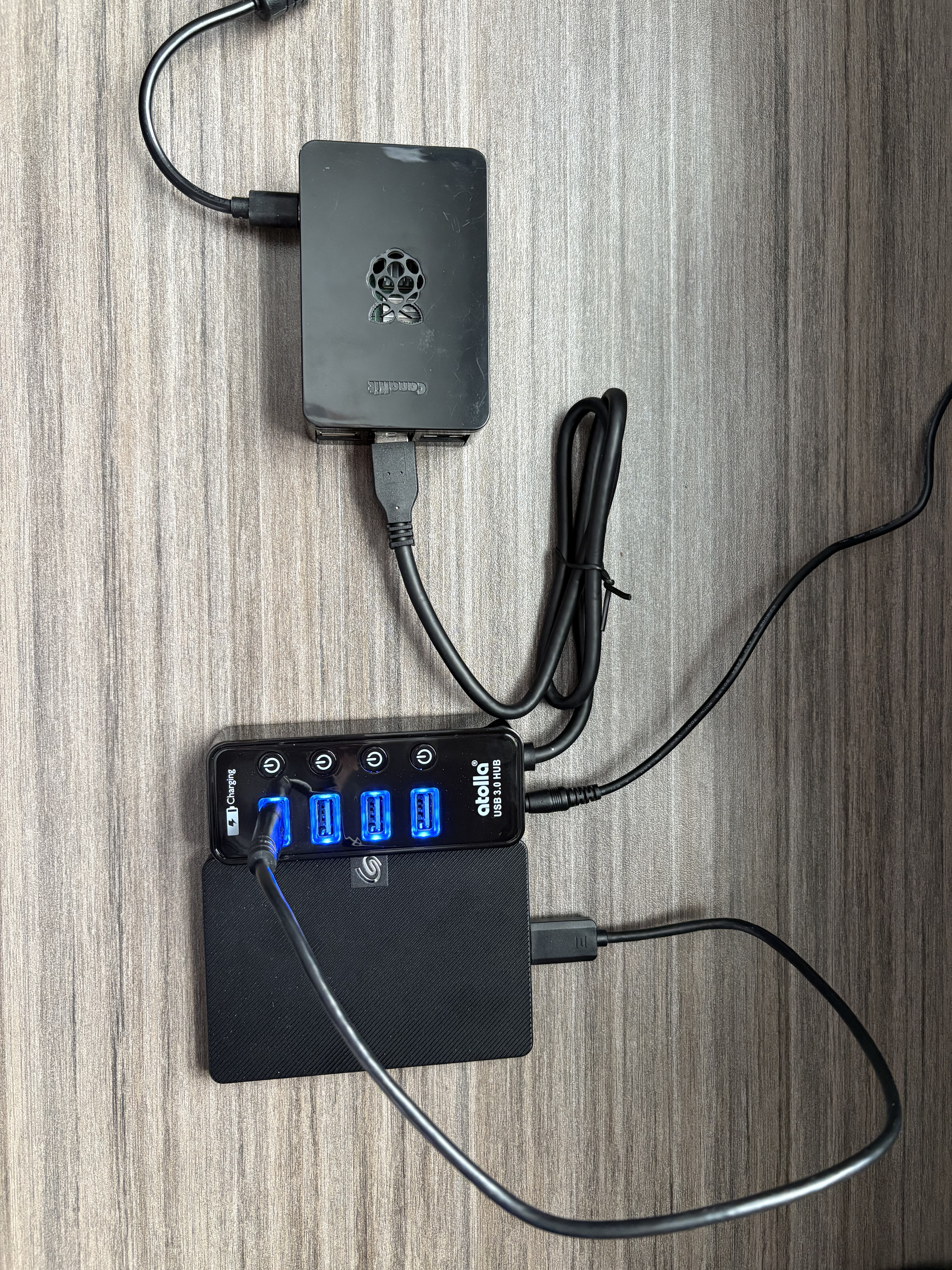
I knew I had a 1TB Seagate external HDD I bought years ago to back up an old laptop, so I went to my basement and dug it out of a box, plugged it in, and mounted it to my Pi. Et voilà! … My Pi couldn’t power it, and I somehow cratered my OS, or locked out my user, or unmounted the wrong drive, or something — all I know is I broke something.
I was not giving up, and I was not spending money on a Raspberry Pi SATA hat, a bigger power supply, or any other rational solution. Instead, I found a cheap powered USB dock on Amazon and daisy-chained them together to create this beautiful mess.
#
Conclusion
I honestly didn’t really expect this to work, although why wouldn’t it? I am telling myself it is not a long-term solution, but if I know myself, I know it will stay like this until I am absolutely forced to change it for one reason or another. Either way, despite how weird or unconventional it is, I now have a 1TB Raspberry Pi web-based private file share server and Discord Nitro can kick rocks.
##
Future Plans
I have wanted to tinker with Kubernetes for a while now, and with my recent purchase of a Bambu Lab A1 3D Printer, I am even more inspired to buy two more Raspberry Pi boards and mount them in a 3D-printed mini-rack.